DNS Record Types Explained
Complete Guide to A, AAAA, CNAME, MX, TXT, NS, SOA, PTR, SRV & CAA Records
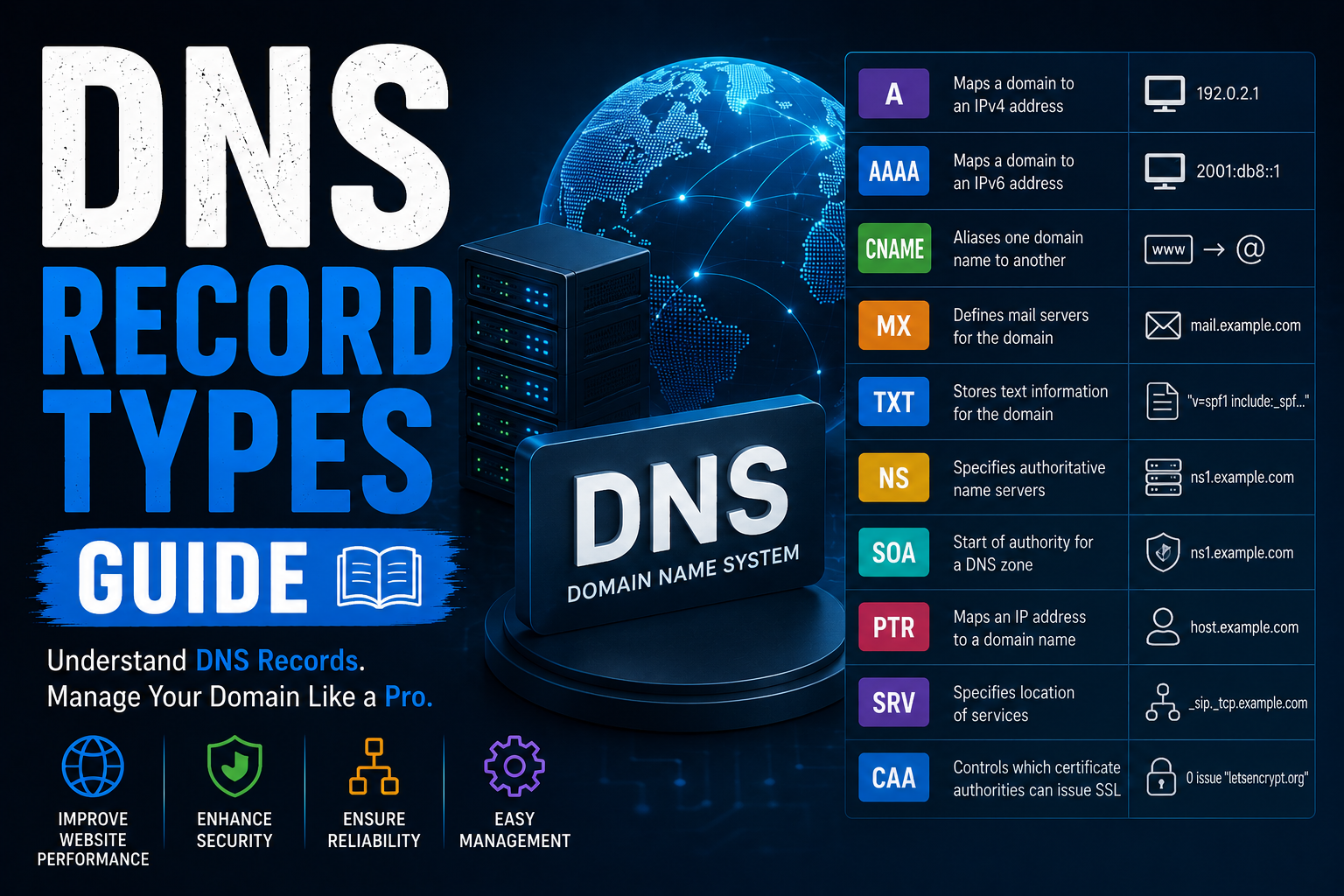
The Domain Name System (DNS) is one of the most important technologies powering the internet. Every time someone visits a website, sends an email, or accesses an online service, DNS works behind the scenes to direct that request to the correct destination.
At the heart of DNS are DNS records. These records tell browsers, email providers, and other internet services exactly where your website is hosted, where emails should be delivered, and how different services should interact with your domain.
Whether you're launching your first website, migrating to a new hosting provider, configuring business email, or improving website security, understanding DNS record types is essential.
This comprehensive guide explains every major DNS record type, when to use it, and best practices for managing your domain safely and efficiently.
Table of Contents
-
What Is DNS?
-
What Are DNS Records?
-
How DNS Records Work
-
Common DNS Record Types
-
A Record
-
AAAA Record
-
CNAME Record
-
MX Record
-
TXT Record
-
NS Record
-
SOA Record
-
PTR Record
-
SRV Record
-
CAA Record
-
DNS Propagation Explained
-
TTL Explained
-
How to Edit DNS Records
-
DNS Best Practices
-
Common DNS Problems
-
Frequently Asked Questions
-
Conclusion
What Is DNS?
DNS stands for Domain Name System.
Think of DNS as the internet's phonebook. Humans remember domain names like:
example.com
Computers communicate using numerical IP addresses such as:
192.0.2.1
DNS translates easy-to-remember domain names into IP addresses so users don't have to memorize long strings of numbers.
Without DNS, browsing the web would be much more difficult.
What Are DNS Records?
DNS records are configuration entries stored on authoritative DNS servers.
Each record has a unique purpose, such as:
-
Connecting a website to a server
-
Delivering email
-
Verifying domain ownership
-
Protecting email against spoofing
-
Authorizing SSL certificates
-
Directing traffic to cloud services
A typical domain contains multiple DNS record types working together.
How DNS Records Work
When someone visits:
www.example.com
their computer performs the following process:
-
Checks local DNS cache.
-
Queries a recursive DNS resolver.
-
Contacts the authoritative DNS server.
-
Reads the required DNS records.
-
Returns the destination IP address.
-
Connects to the web server.
This entire process usually takes only milliseconds.
A Record (Address Record)
An A Record maps a hostname to an IPv4 address.
Example:
example.com
↓

192.0.2.10
This is the most commonly used DNS record because every website needs one.
Common Uses
-
Website hosting
-
VPS servers
-
Dedicated servers
-
Home servers
AAAA Record
AAAA records work exactly like A records but use IPv6.
Example:
example.com
↓

2001:db8::1
IPv6 provides significantly more available addresses than IPv4.
CNAME Record
A Canonical Name (CNAME) creates an alias.
Instead of pointing directly to an IP address, it points another hostname.
Example:
blog.example.com

↓

example.com
Benefits include:
-
Easier maintenance
-
CDN integration
-
Cloud hosting compatibility
-
Flexible website management
MX Record
Mail Exchange (MX) records determine where incoming emails should be delivered.
Example:
Priority 10

mail.example.com
If multiple MX records exist, mail servers use the lowest priority number first.
Without MX records, email simply won't work.
TXT Record
TXT records store plain text information.
Modern internet services use TXT records extensively.
Examples include:
-
SPF
-
DKIM
-
DMARC
-
Google Verification
-
Microsoft Verification
-
Facebook Verification
-
SSL verification
TXT records are among the most important security-related DNS records.
NS Record
Name Server records specify which DNS servers are authoritative for a domain.
Example:
ns1.provider.com

ns2.provider.com
Changing NS records transfers DNS management to another provider.
SOA Record
The Start of Authority record contains administrative information including:
-
Primary DNS server
-
Administrator email
-
Zone serial number
-
Refresh interval
-
Retry interval
-
Expiration time
-
Minimum TTL
Each DNS zone contains exactly one SOA record.
PTR Record
PTR records perform reverse DNS lookups.
Instead of:
Domain → IP
they resolve:
IP → Domain
PTR records are commonly required by:
-
Mail servers
-
ISPs
-
Enterprise networks
SRV Record
SRV records identify specific services running on a server.
Unlike A records, they specify:
-
Host
-
Port
-
Priority
-
Weight
Examples include:
-
Microsoft Teams
-
SIP
-
VoIP
-
LDAP
-
Minecraft servers
CAA Record
Certification Authority Authorization (CAA) records determine which Certificate Authorities may issue SSL certificates for your domain.
Example:
Only Let's Encrypt may issue certificates.
CAA records improve website security by reducing the risk of fraudulent certificate issuance.
DNS Propagation Explained
After updating DNS records, changes do not become visible immediately.
This delay is known as DNS propagation.
Propagation depends on:
-
DNS caching
-
TTL values
-
ISP cache refresh
-
Recursive DNS servers
Typical propagation time:
-
5 minutes
-
30 minutes
-
Several hours
-
Up to 48 hours
What Is TTL?
TTL means Time To Live.
TTL determines how long DNS servers cache a record before requesting an updated version.
Lower TTL:
-
Faster updates
-
More DNS lookups
Higher TTL:
-
Faster browsing
-
Less DNS traffic
-
Slower propagation
How to Edit DNS Records
Most domain registrars and hosting providers allow DNS management through a control panel.
Typical process:
-
Log into your DNS provider.
-
Open DNS Management.
-
Select the record type.
-
Enter the hostname.
-
Enter the destination value.
-
Save changes.
-
Wait for propagation.
Always double-check your entries before saving.
DNS Best Practices
For reliable DNS management:
-
Use short TTL before migrations.
-
Remove obsolete records.
-
Enable SPF, DKIM, and DMARC.
-
Monitor DNS changes.
-
Use CAA records.
-
Backup your DNS zone.
-
Verify changes with DNS lookup tools.
-
Keep documentation of all DNS entries.
Common DNS Problems
Website Not Loading
Possible causes:
-
Incorrect A Record
-
Wrong Nameservers
-
DNS propagation
-
Expired domain
Email Not Working
Usually caused by:
-
Missing MX records
-
Incorrect SPF
-
Incorrect DKIM
-
Invalid DMARC
SSL Certificate Problems
May occur because:
-
Missing CAA records
-
Incorrect DNS validation
-
Expired certificates
Slow DNS Updates
Usually caused by:
-
High TTL values
-
ISP caching
-
Global DNS propagation
Frequently Asked Questions
What is the most important DNS record?
The A Record is usually the most important because it connects your website to its server.
What is the difference between A and CNAME?
An A Record points directly to an IP address.
A CNAME points to another hostname.
Which DNS record handles email?
MX records receive email.
TXT records authenticate email using SPF, DKIM, and DMARC.
How long does DNS propagation take?
Anywhere from a few minutes to 48 hours.
Can one domain have multiple DNS records?
Yes.
A typical domain contains:
-
A
-
AAAA
-
MX
-
TXT
-
NS
-
SOA
-
CNAME
-
CAA
working together.
Conclusion
DNS records are the foundation of every website, email service, and online application. From directing visitors to your web server with A and AAAA records to securing email with TXT records and routing messages through MX records, each DNS record type serves a specific purpose.
Understanding how DNS records work allows you to confidently manage domains, troubleshoot connectivity issues, improve website security, and configure hosting and email services correctly. Whether you're a beginner learning about DNS or an experienced administrator maintaining multiple domains, mastering these record types is an essential networking skill.